<< Return to the Members page.
View or Update your personal details.
These instructions assume that:
- You are already a member of Edinburgh u3a - if not you can join us here.
- And that you are already registered on the Members Portal - if not you can do this here.
- And that you would like to view or update the personal details that we hold about you.
Start by logging in to the Members Portal.
The first step is to log in to the Members Portal:
- Use this link (link opens in a new tab) to reach the login web page on the members portal.
- Enter your email address
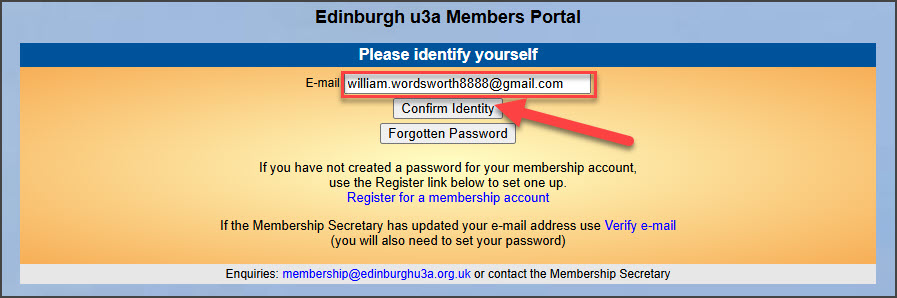
- Press the “Confirm Identity” button.
- You are now asked for your password.
- It is a good idea to click on the eye symbol in the password box, to display the password text that you are entering.
- If you have forgotten your password you can reset by following the instructions here.
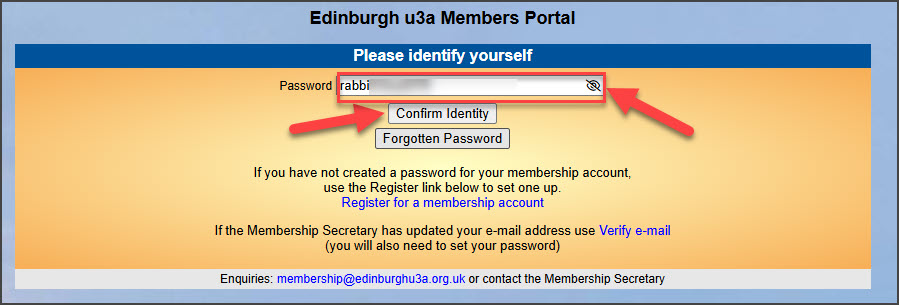
- Press the “Confirm Identity” button.
Login details are not correct
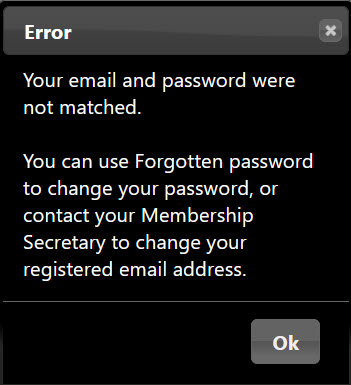
You will see this error message if you enter one or more pieces of information incorrectly.
- Press “Ok”
- Check that you have the correct email and password.
- Repeat the above steps to log in again.
If you think that you might have forgotten your password, you can reset your password using the Forgotten Password feature which is explained here.
Log in successful.
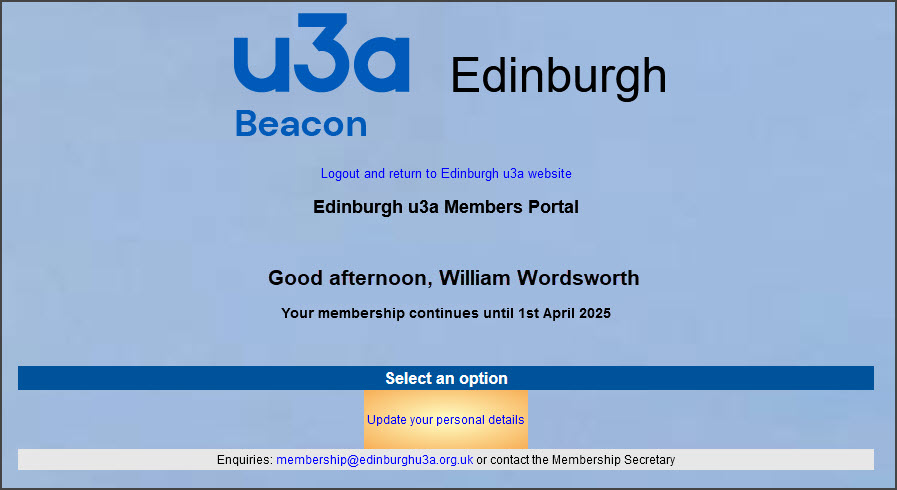
You have successfully logged in to the members portal with your email address and password.
View your personal details
To view the details that we hold about you, click on the “Update your personal details” link.
The next screen shows all the personal details that Edinburgh u3a holds about you.
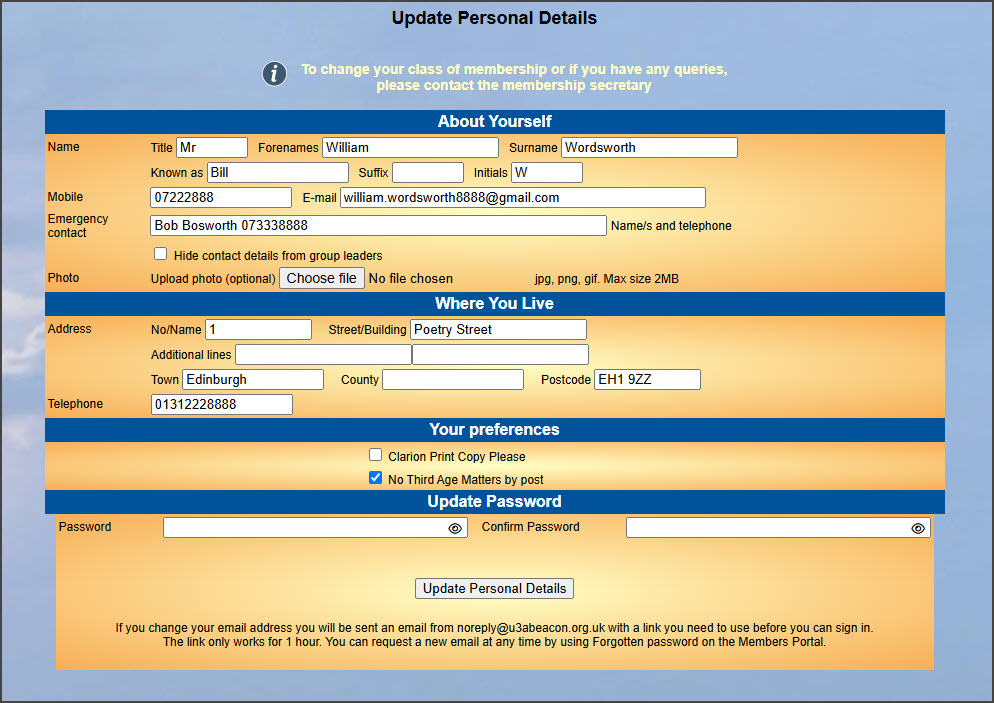
No changes to personal details are required.
If the information on this screen is correct, and you do not want to make any changes, then you can close the browser tab or window.
Changes to personal details are required.
If you do want to change some details, for example address or telephone number, type the new text into the appropriate fields.
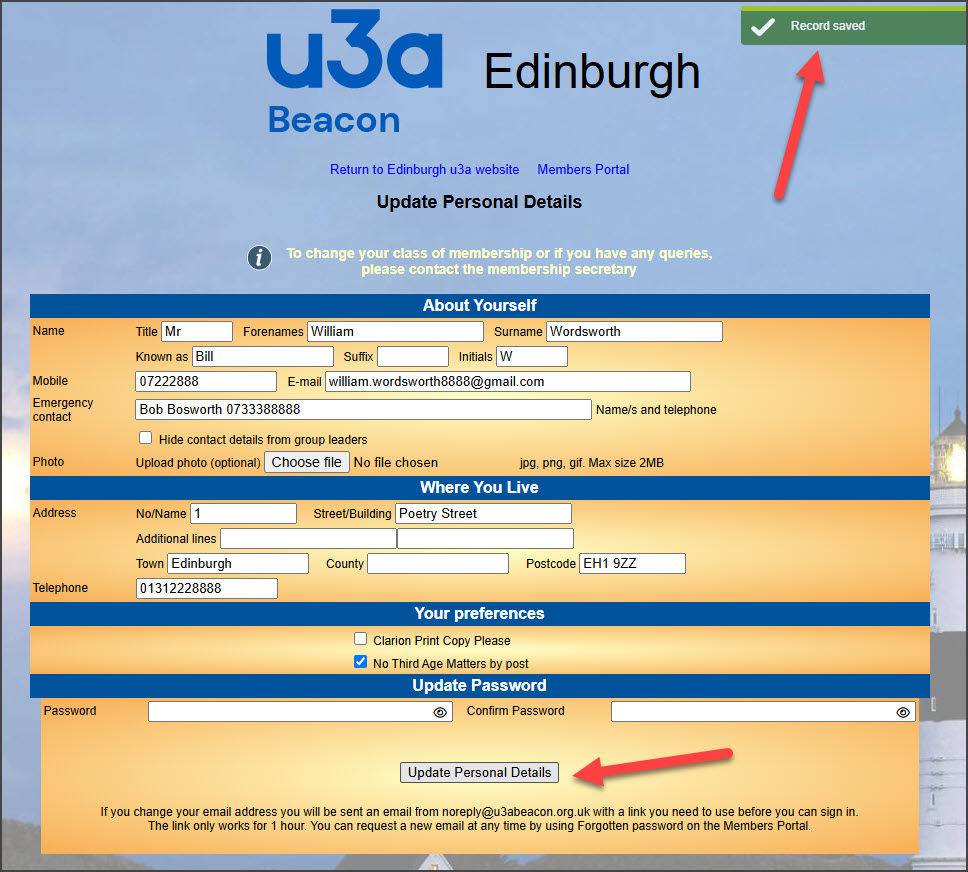
- When you are ready, click on the “Update Personal Details” button.
- You will see green message text “√ Record Saved” in the top right corner of your browser screen.
- You can now close the browser tab or window.
Changes to your email address
If you change your email address you will be sent an email from noreply@u3abeacon.org.uk with a link you need to use before you can sign in. The link only works for 1 hour.
Confirmation email that your details have been updated.
If you made any changes to your personal details, you will receive an email confirming this.
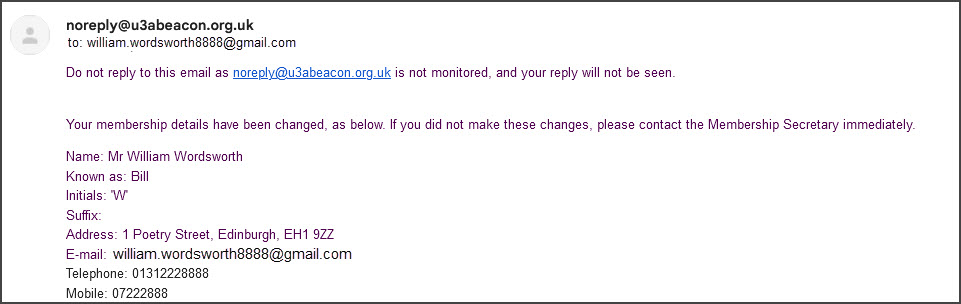
Example of the Confirmation Email text.